
What's New in CCG Profiles v20
Release Notes
What's New in CCG Profiles v20
Modern. Faster. Simpler.
A complete redesign of our leading software for the aluminium & PVC window and door industry — from a fresh new interface to a powerful new graphics engine, independent document export, and streamlined production workflows.
After several years of development, version 20 of CCG Profiles is here. Every part of the application has been rethought — the user interface, the drawing engine, the way you work with catalogs, offers, production, and stock. Below is a tour of the key changes.
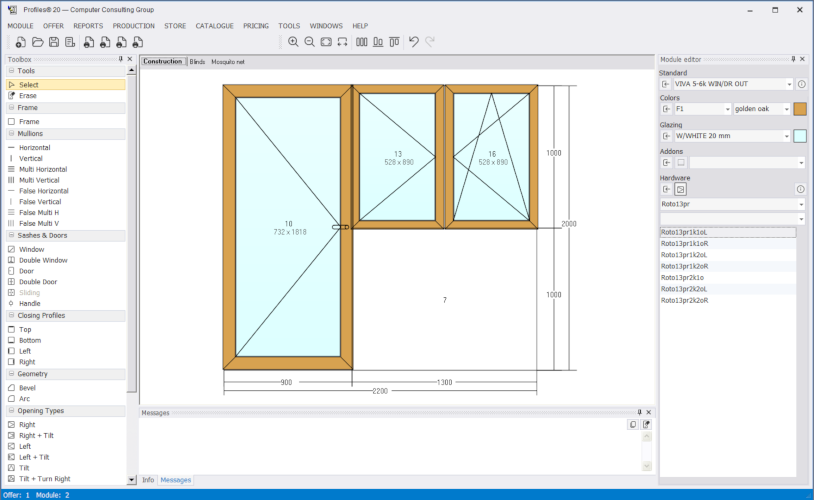
Modern, Clean Interface
All legacy controls have been replaced with modern counterparts — every button, drop-down, table, and tab on every form has been refreshed. The result is a clean, business-oriented look that works perfectly on Windows XP to 11.
- Vector icons throughout the application — crisp at any DPI and compatible with other Windows programs
- Docking panels — Toolbox, Info, Messages each can be shown, hidden, moved, or floated; the layout persists between sessions
- Restructured main menu — new Pricing and Production top-level menus
- Reports dialog — treeview-based module selection with checkboxes and summary
- Restyled tab controls — graphical tabs for better data structure and navigation
Every dialog, every grid, every form has been revisited for consistency and ease of use.
New Graphics Engine
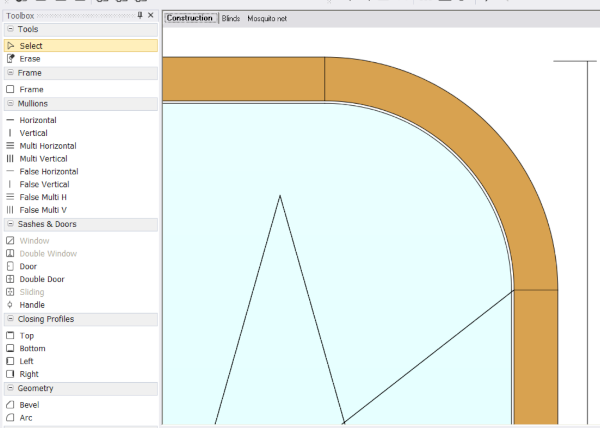
The drawing canvas has been completely rewritten. Edges are now anti-aliased — no more jagged lines on bevels and arcs. Zooming is continuous and smooth using the mouse wheel, and panning is just a middle-button drag away.
- Smooth zoom — no jumps between preset levels
- Higher-resolution scheme images in offers and reports
- Better performance on complex modules with many details
- Pan with middle mouse button and zoom with wheel
Unified Data Management
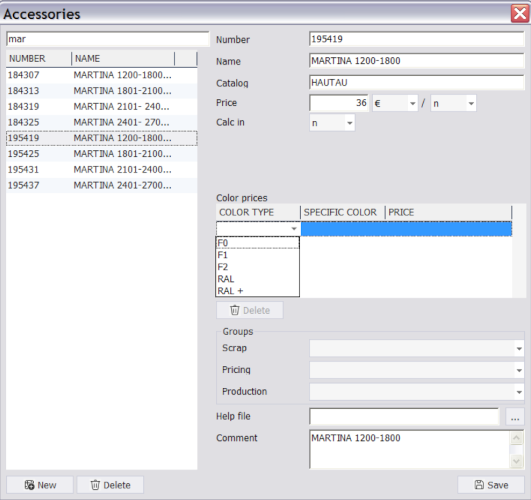
All catalogue editing forms — Profiles, Frames, Beams, Sashes, Accessories, Hardware, Glazing, Colors, Standards, and more — now follow the same proven pattern:
- Search-enabled table on the left with sortable columns
- New / Delete buttons directly under the grid
- Tabbed detail panel on the right with image, fields, and sub-tables
Whether you work with glass packs, blinds, mosquito nets, addons, or price groups, the experience is identical — learn once, use everywhere.
Offer Export — No Additional Office Software Required
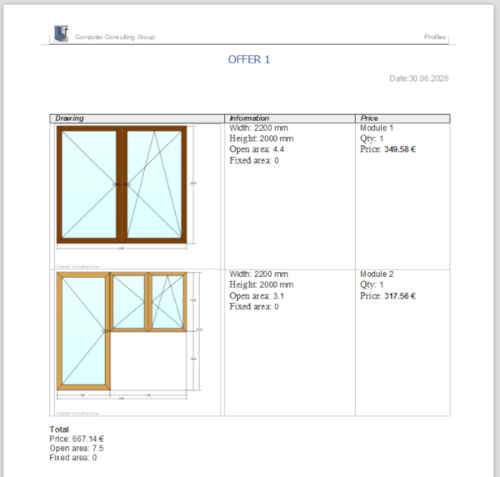
One of the most requested features: v20 exports offers to RTF (Word) and XLS (Excel) without needing MS Office, LibreOffice, or any other external software. Simply place an .rtf template in the Templates/ folder and it appears in the Export menu automatically.
- Dynamic templates — use
[[PLACEHOLDER]]tokens for offer data, module data, prices, images - Unlimited flexibility — combine static text with dynamic parameters to create any document layout
- Multiple templates — create as many different templates as you need for different customers, languages, or document types
- Embedded PNG images — module schemes rendered by the new graphics engine
Blazing Fast Performance
CCG Profiles version 20 brings substantial performance gains across the board. The calculation engine, database queries, and rendering pipeline have all been optimised to handle the most complex projects with ease.
- More than 4× faster offer calculations on complex multi-module projects
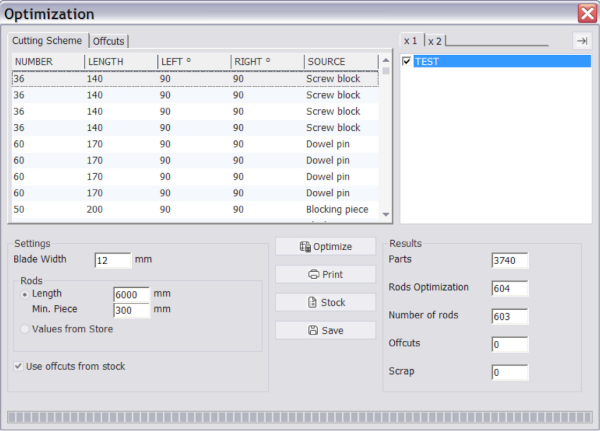
- Cutting optimisation is dramatically faster — even for large orders with hundreds of profiles, results are computed in seconds
- Optimised queries, in-memory caching, and fast canvas rendering
- Faster report generation, scheme export, and database lookups across all operations
- Memory-efficient — uses less memory than a typical browser session, even on large projects
System Improvements
Database
- Improved reliability — crash recovery and automatic data integrity checks
- Transactional stock and offer operations — roll back on failure
- Named database sets — switch between Office, Workshop, Test instantly
Windows Compatibility
- Runs on Windows XP through Windows 11
- No legacy runtimes or special dependencies
Localization
- Text-file translations — edit in any text editor, no special tool needed
- Easy to add new languages — just copy a translation file, translate the text, and restart
- 9 languages included: Bulgarian, English, German, Spanish, Italian, Russian, Romanian, Serbian, Croatian
Administration
- Simplified — standalone
Admin.exeeliminated, all functions integrated into the main app - Better organized settings — clear tabs and categories for easier configuration
New Installer
CCG Profiles 20 installs and co-exists peacefully with version 17 on the same machine. Both versions share the same database format — no conversion needed. The installer is available in Bulgarian, English, German, Spanish, Italian, Russian, and Serbian.